Overview
This article explains how to configure sales commission requirements for any services, add-ons and all other Quick checkout purchases like Packages, Memberships, Training services etc.,
TABLE OF CONTENTS
- Overview
- Configure Sales commission requirement
- Configure Sales Commission in Services, Tips & Commissions
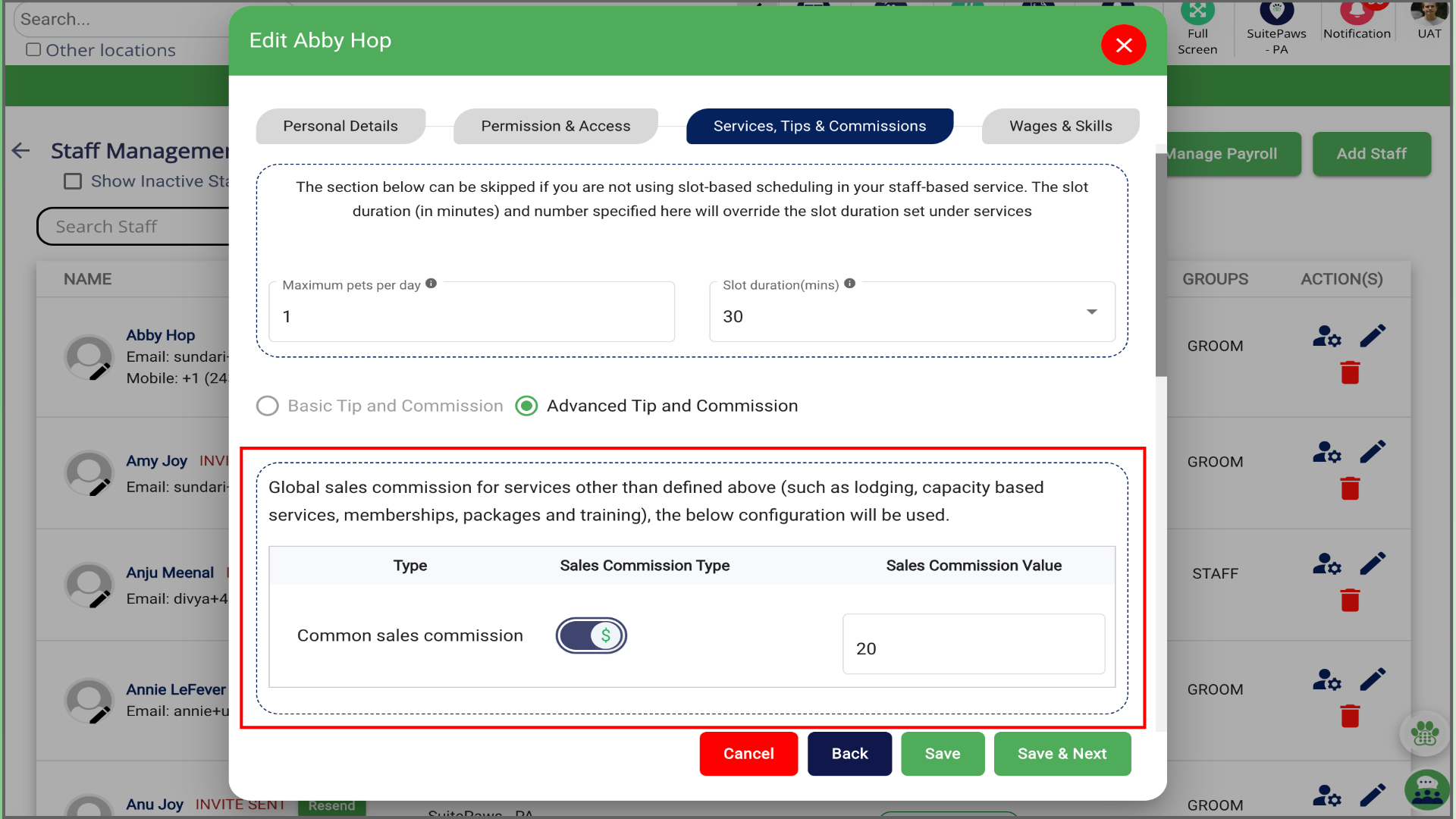
- Configure Global Sales Commission
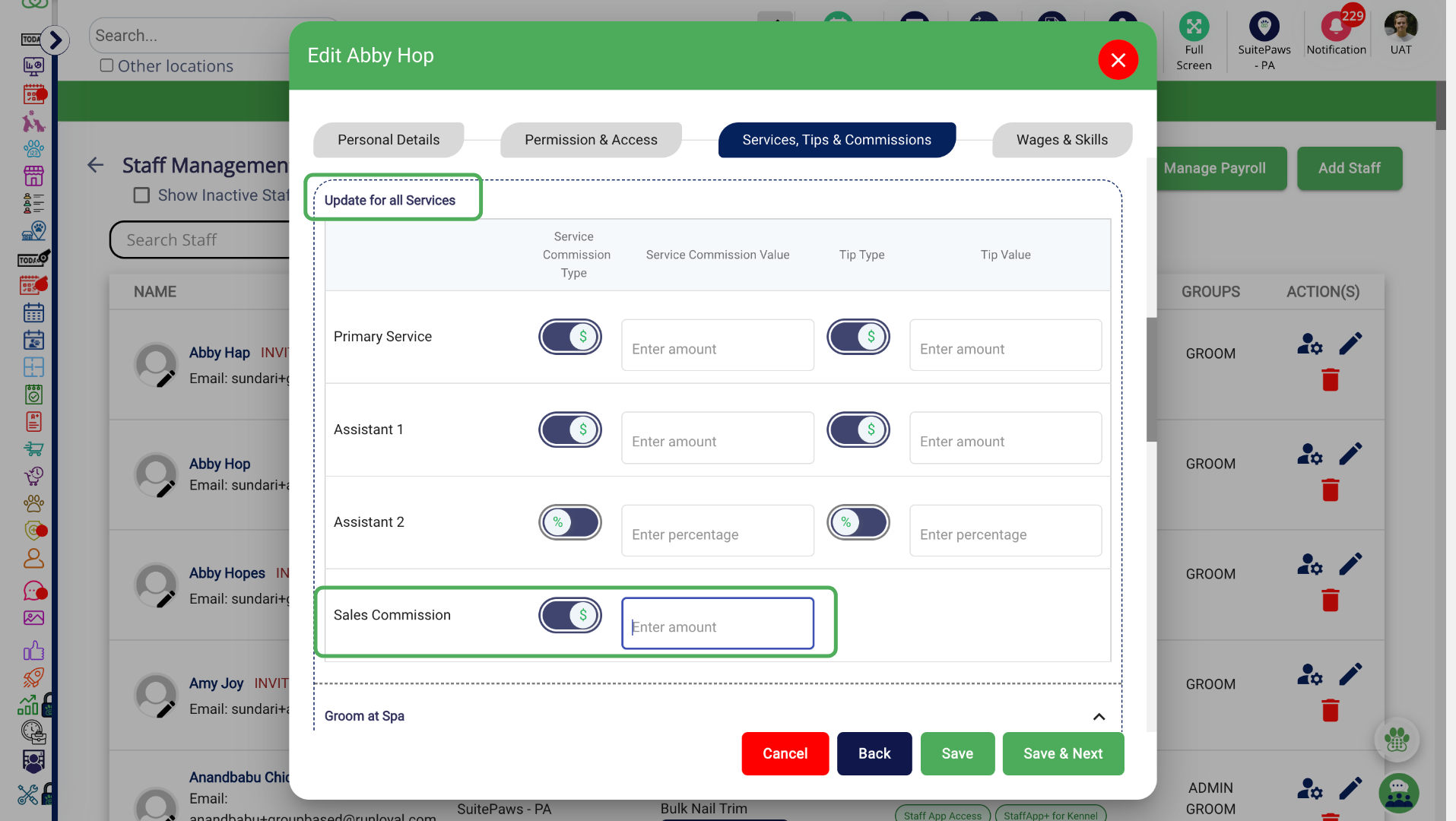
- Configure Specific Sales commission
- Configure Sales Commission in Quick Checkout
- Configure Staff Sales Commission in Appointment update
Sales Commission
Sales commission rewards staff for selling services, add-ons and Quick Checkout items such as Packages, Memberships and Training.
Configure Sales commission requirement
Go to Settings to enable the sales commission for any services, add-ons and all other Quick checkout purchases like Packages, Memberships, Training services etc.,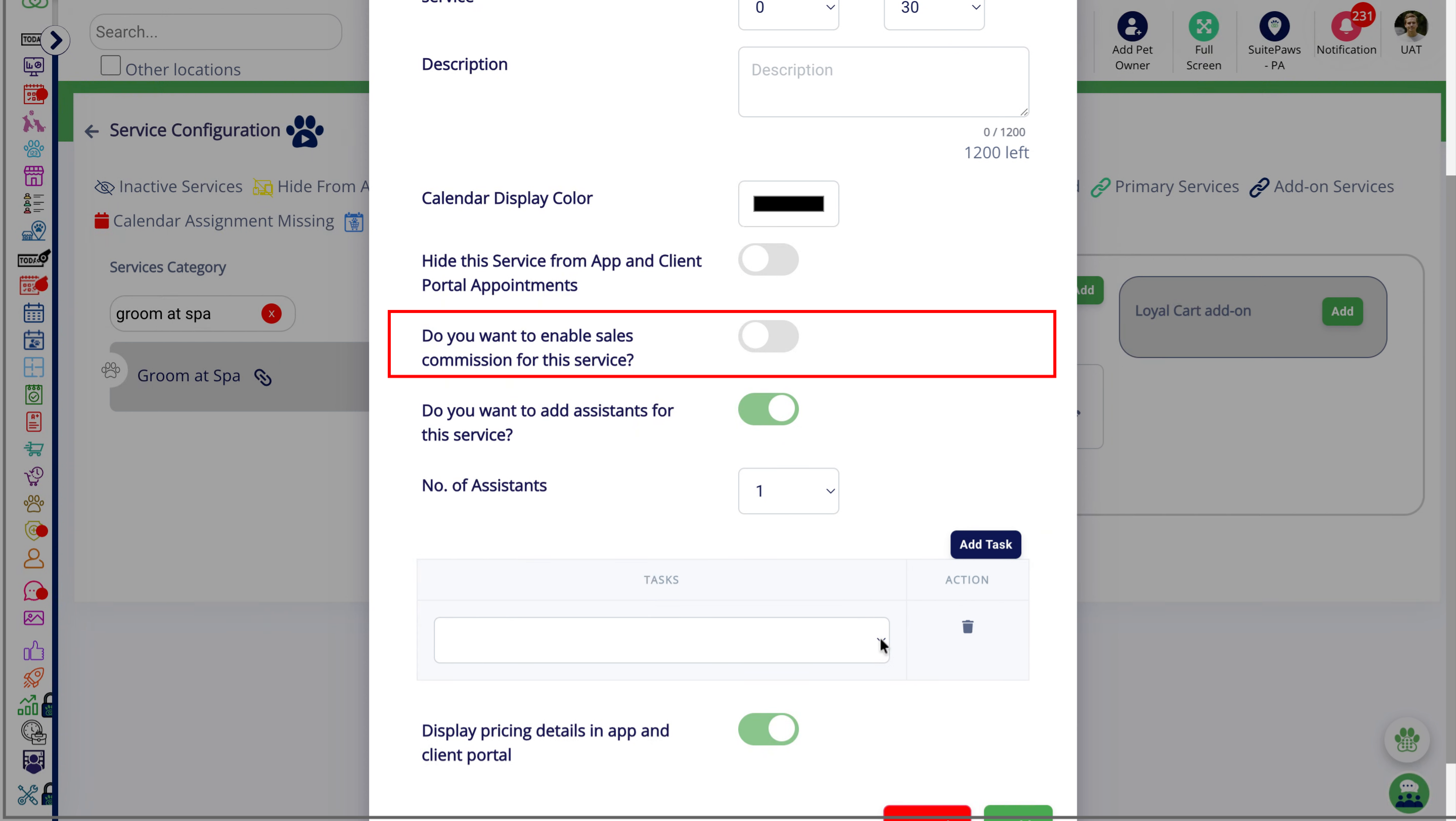
Configure Sales Commission in Services, Tips & Commissions
In Staff Management, configure sales commission as a percentage or fixed amount for each service.
Go to Settings > Staff Management > Add Staff > Services, Tips & Commission
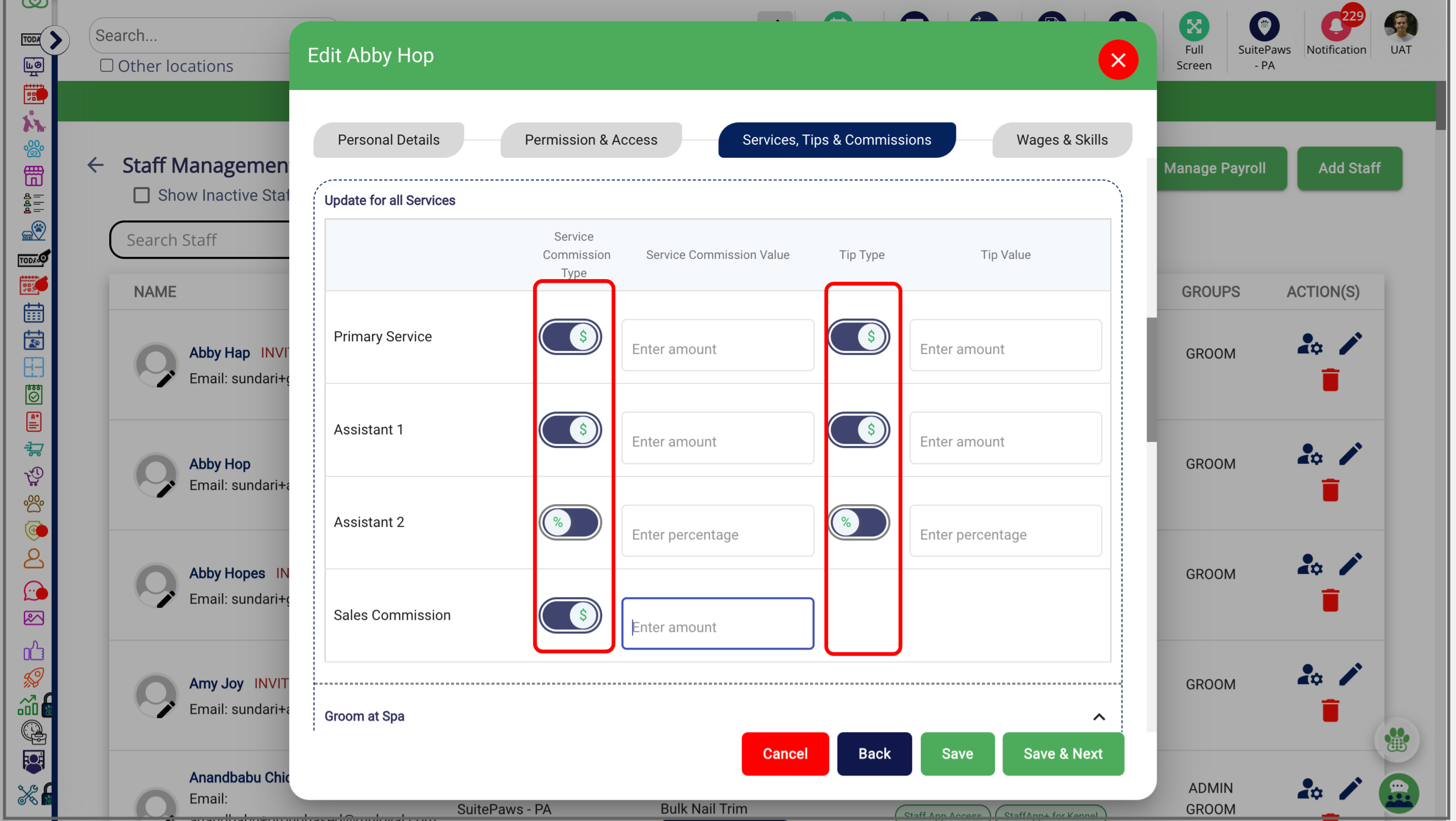
Configure Global Sales Commission
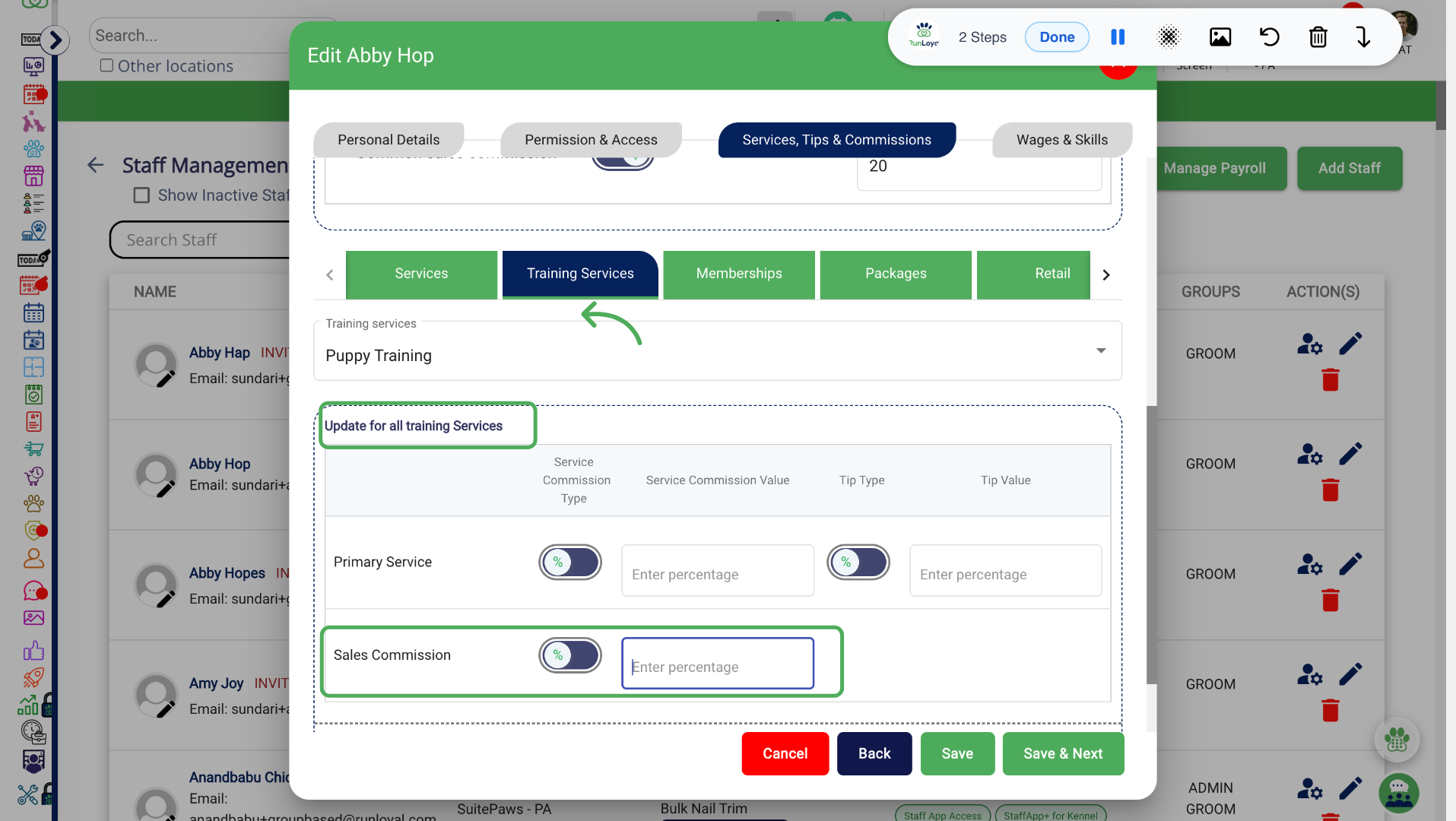
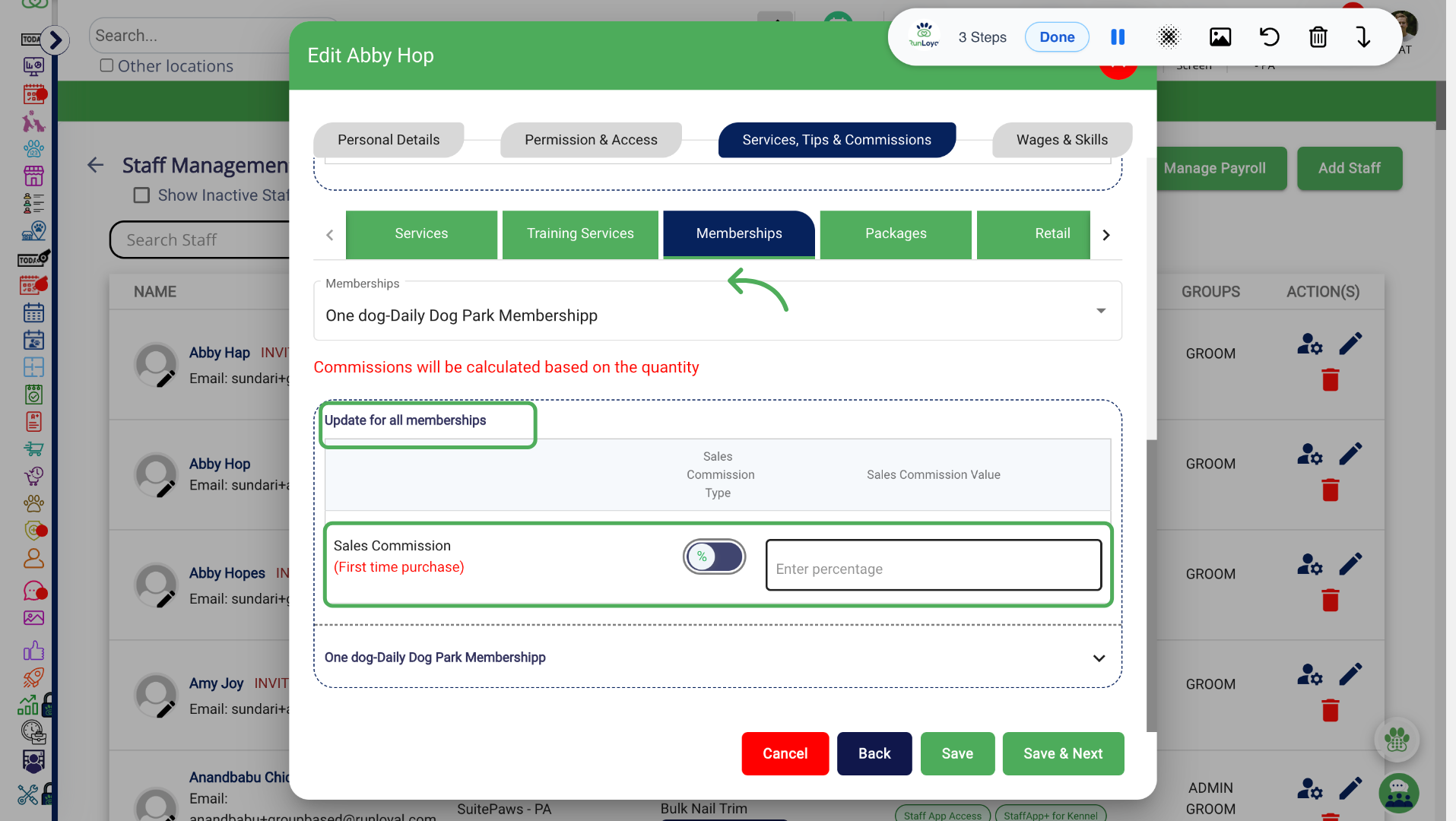
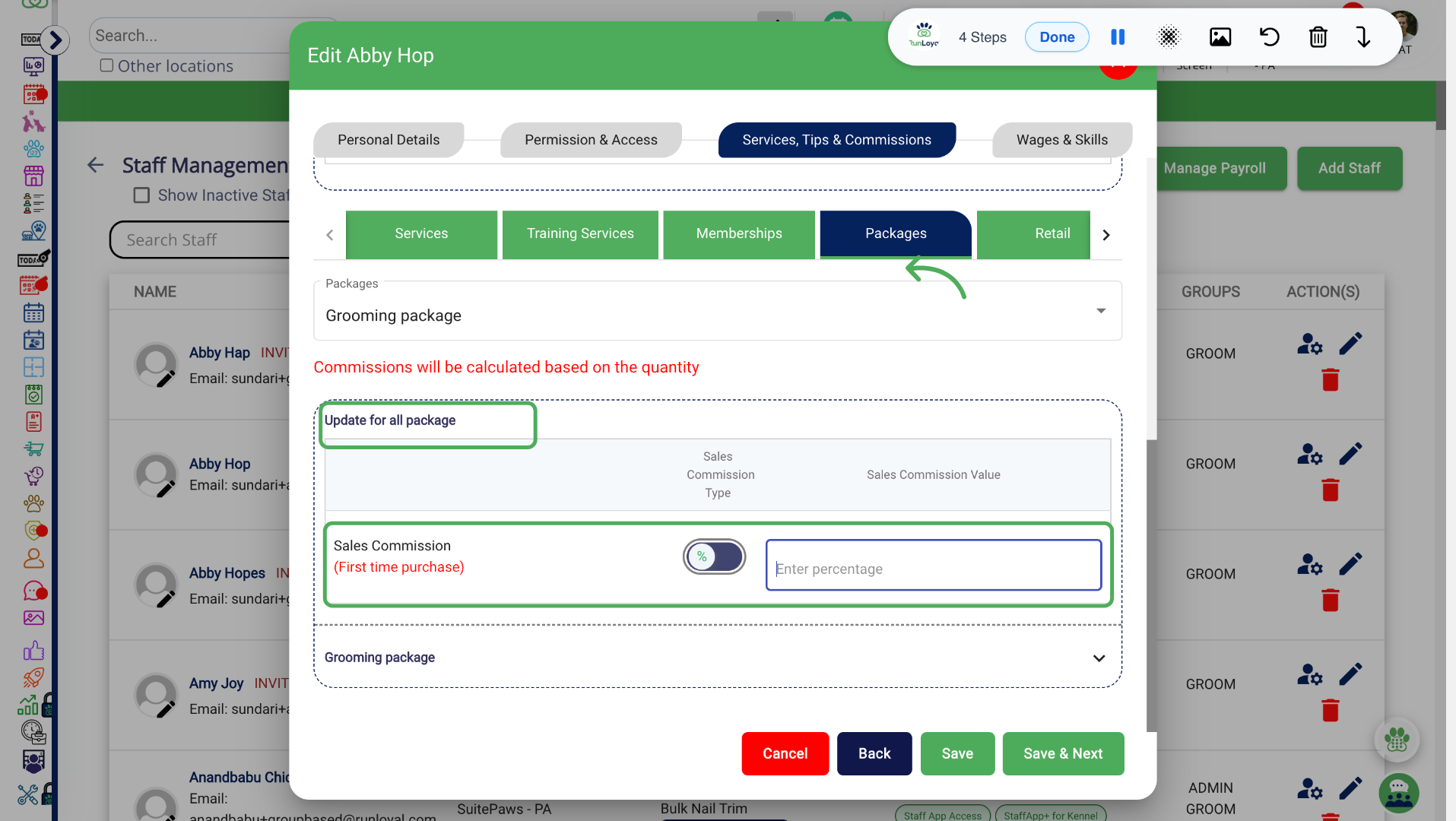
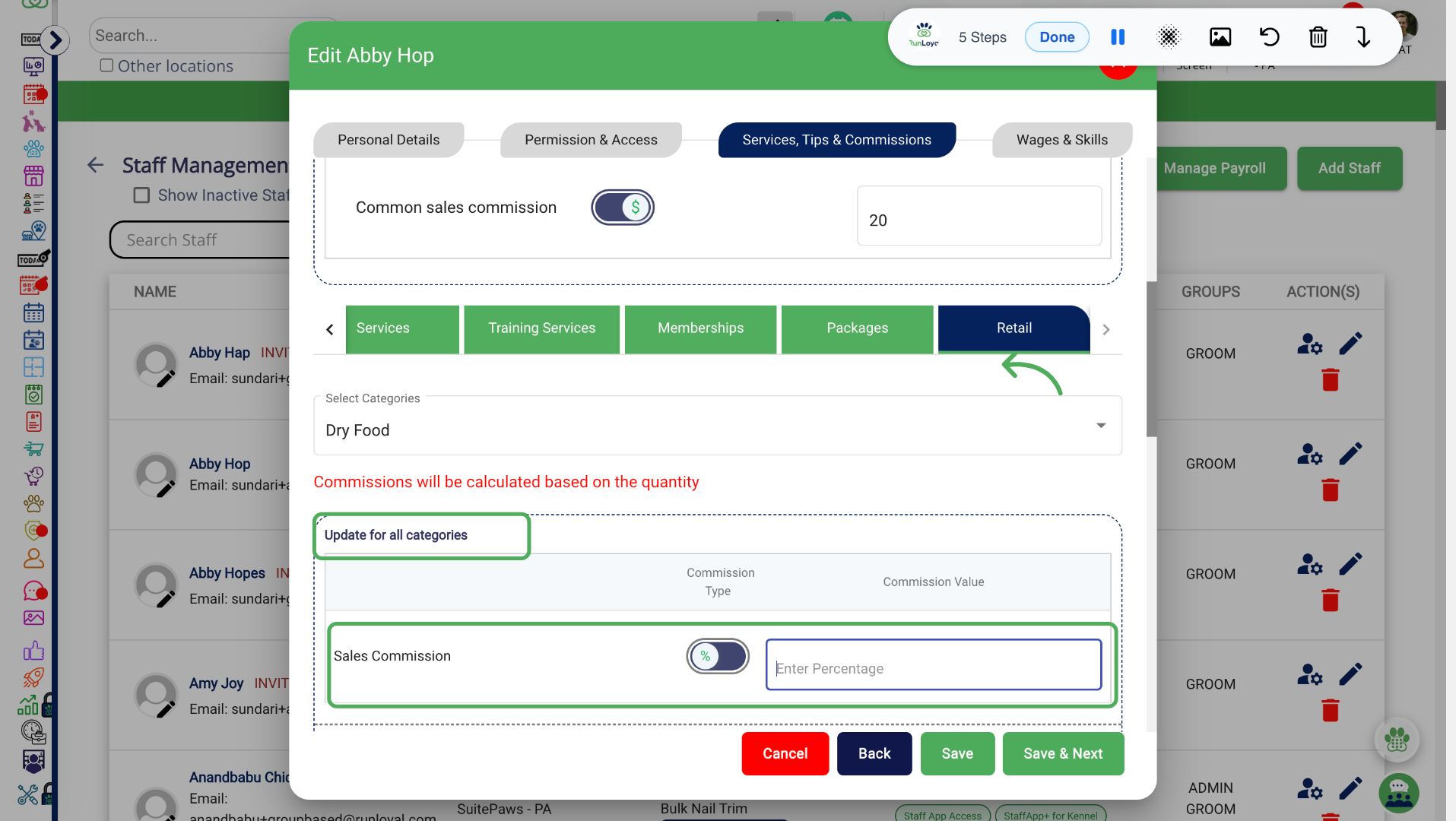
Configure Specific Sales commission
1. Services
2. Training Services
3. Memberships
4. Packages
5. Retail
Configure Sales Commission in Quick Checkout
Configure sales commissions during Quick Checkout for packages, memberships or training services.
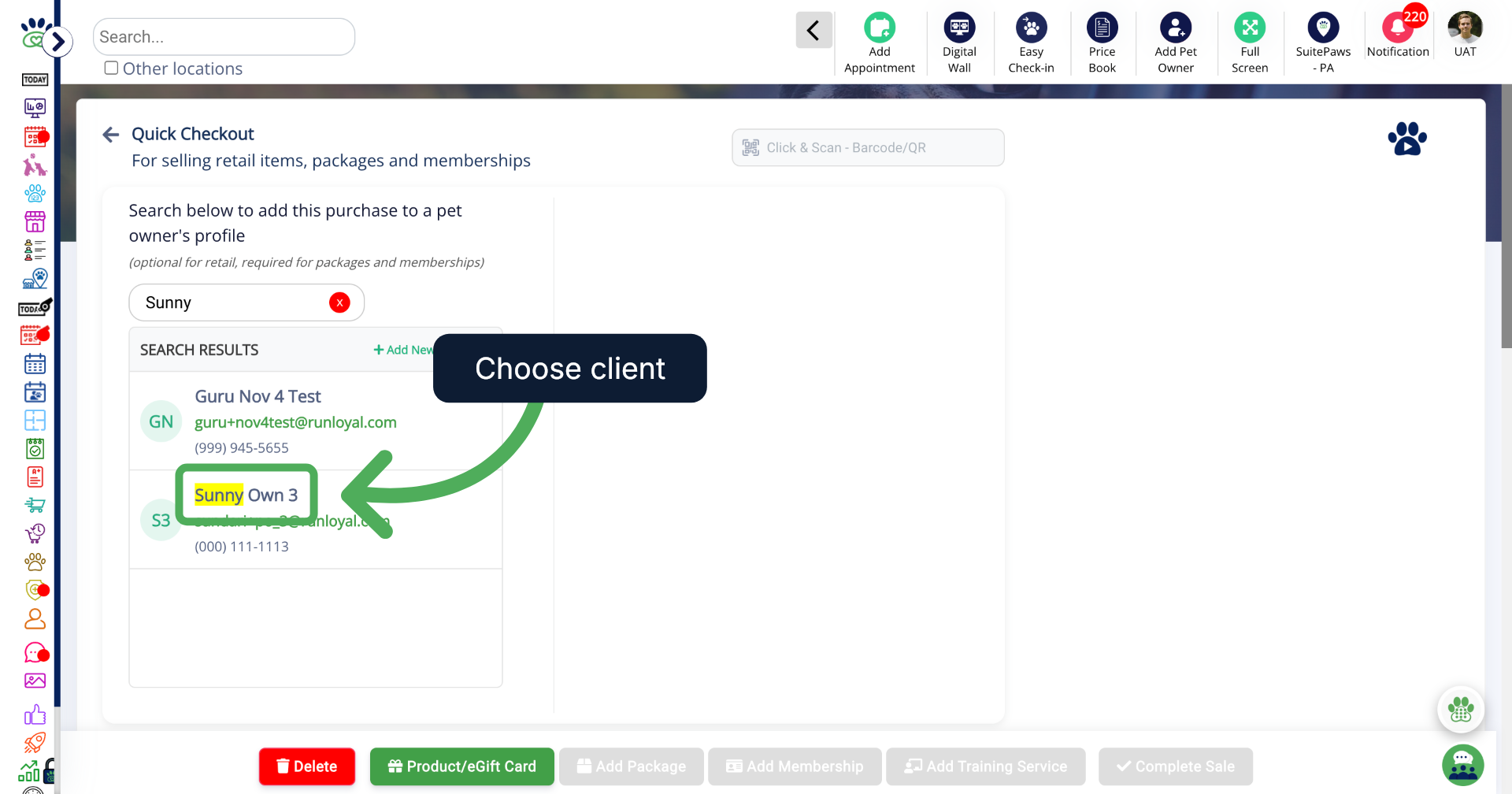
1. Select Client Profile
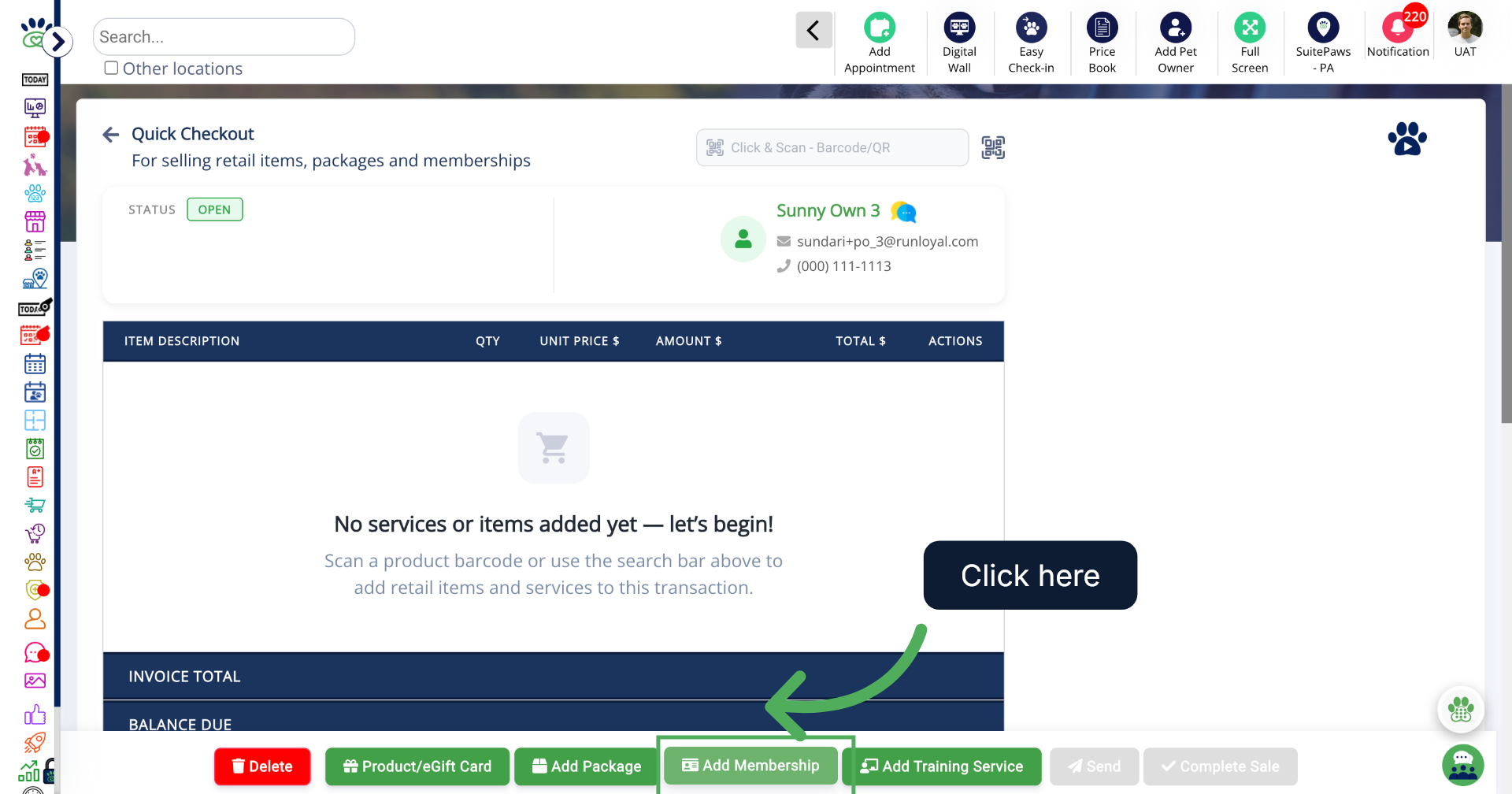
2. Add Membership
To purchase membership for the Client, Click Add Membership.
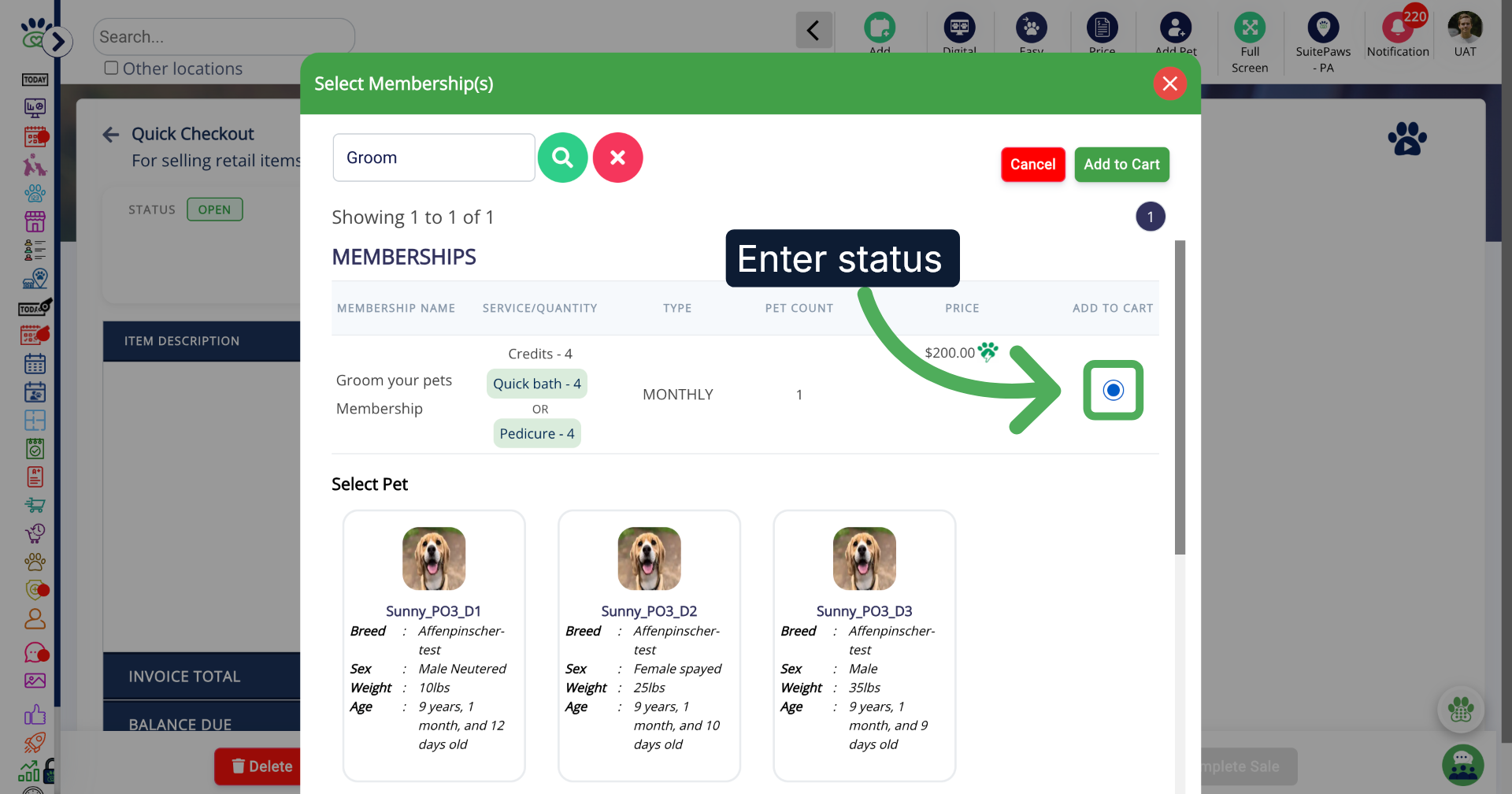
3. Select the Membership
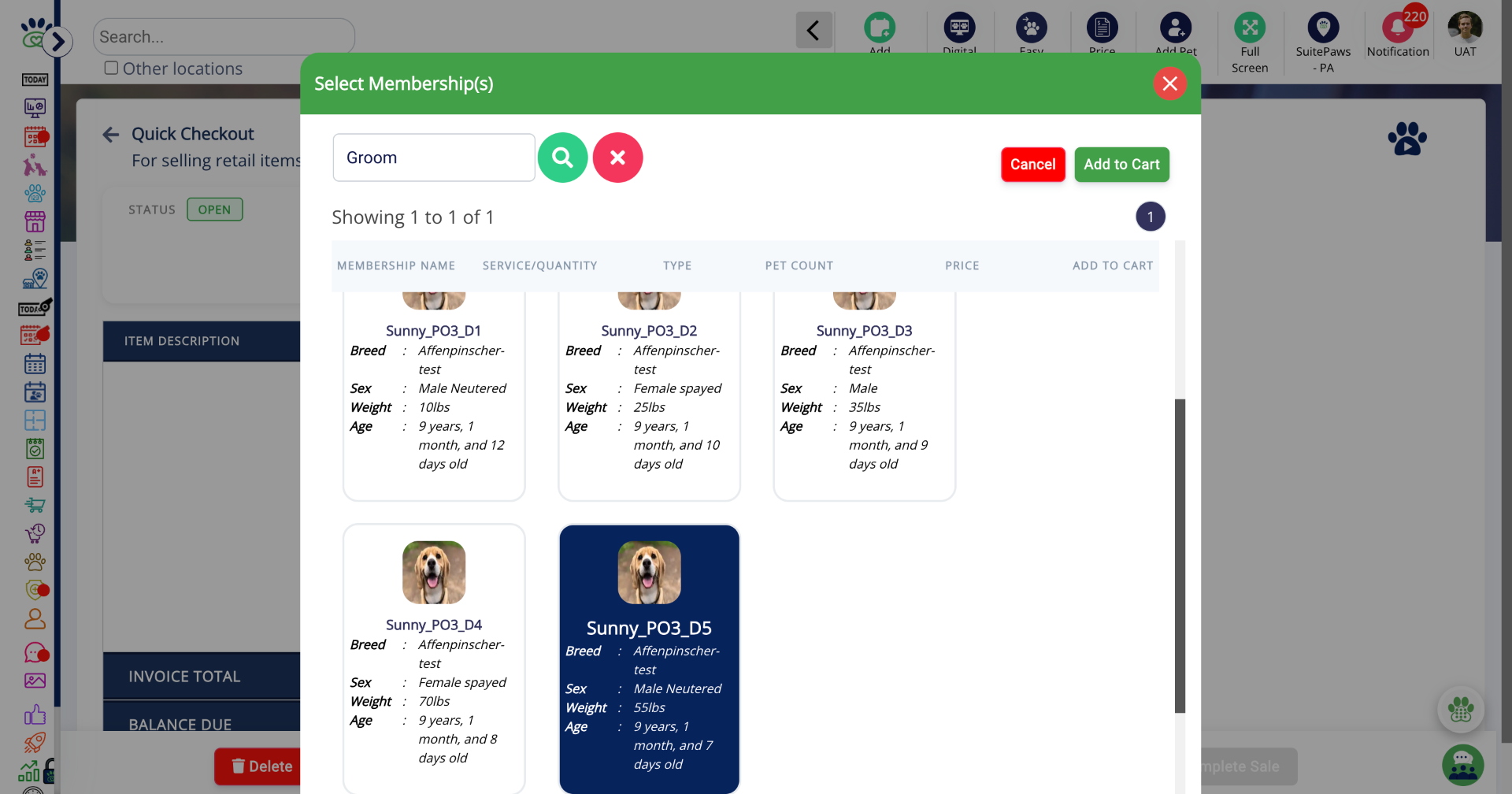
4. Select Pet
Select the pet(s) for which membership applies.
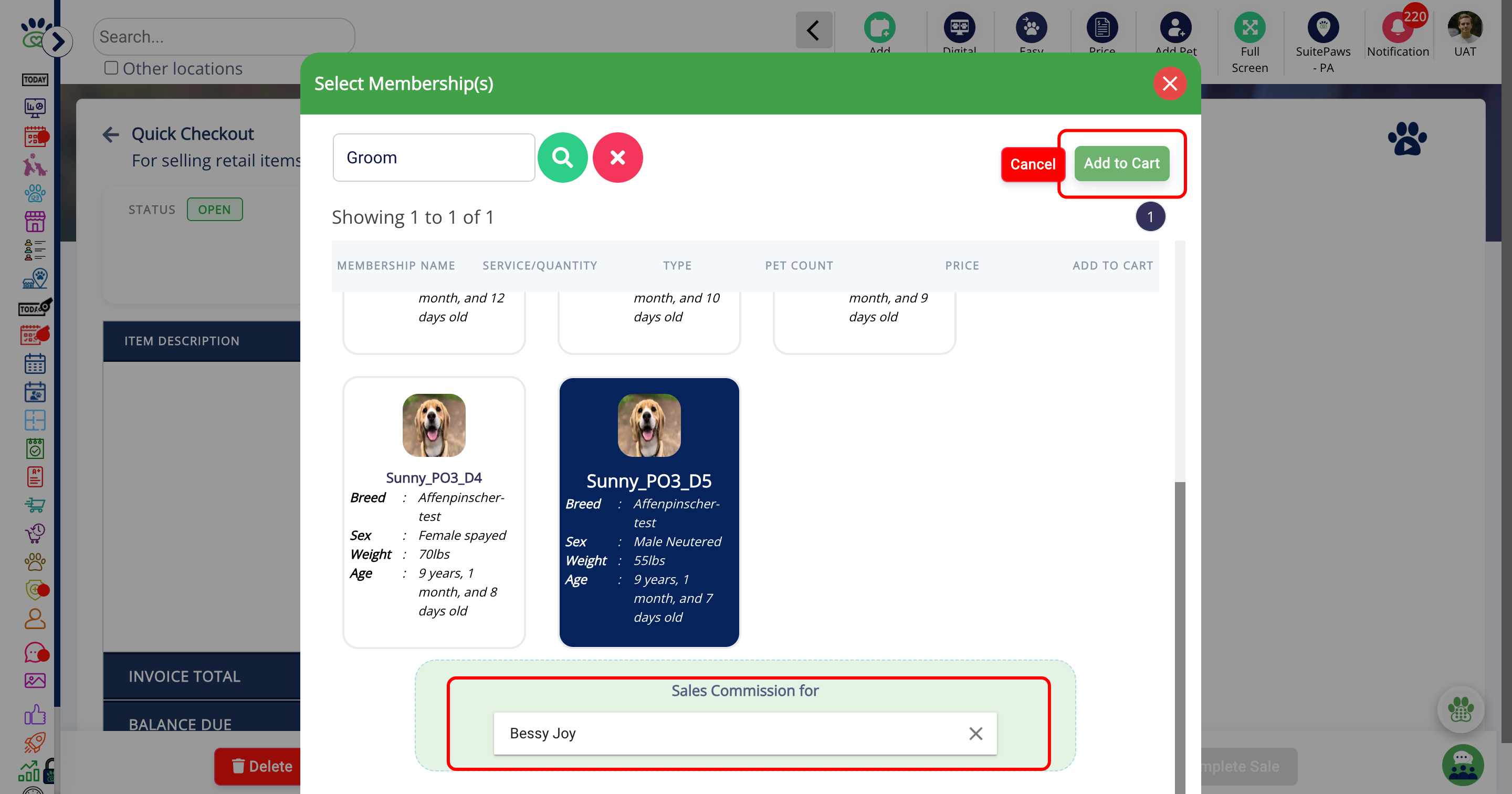
5. Complete Quick Checkout
Select the staff for the sales commission and click Add to Cart to include the membership in the client's purchase list.
Configure Staff Sales Commission in Appointment update
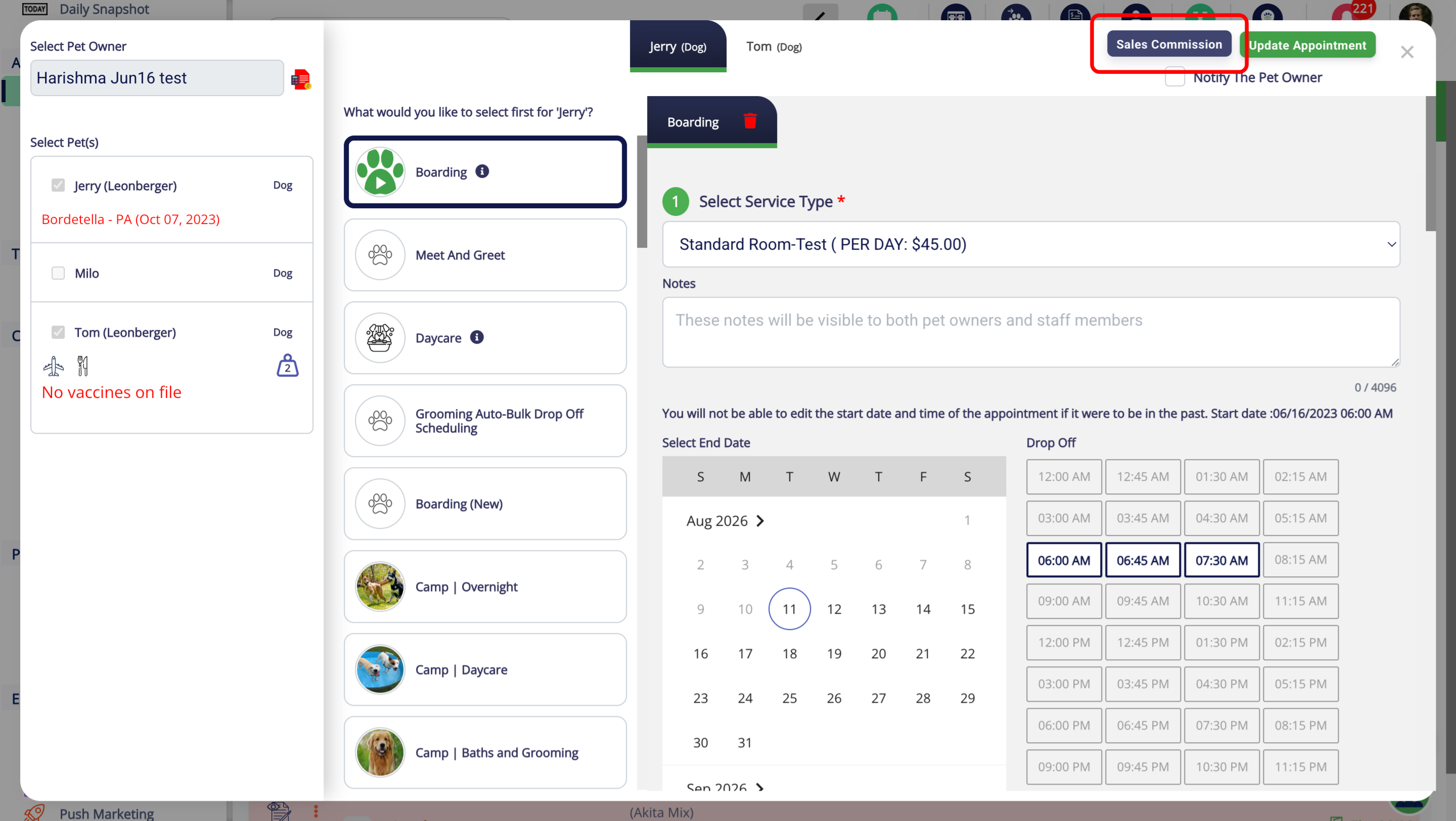
1. Edit an Appointment
Edit an appointment and then Click on Sales Commission to assign staff for it.
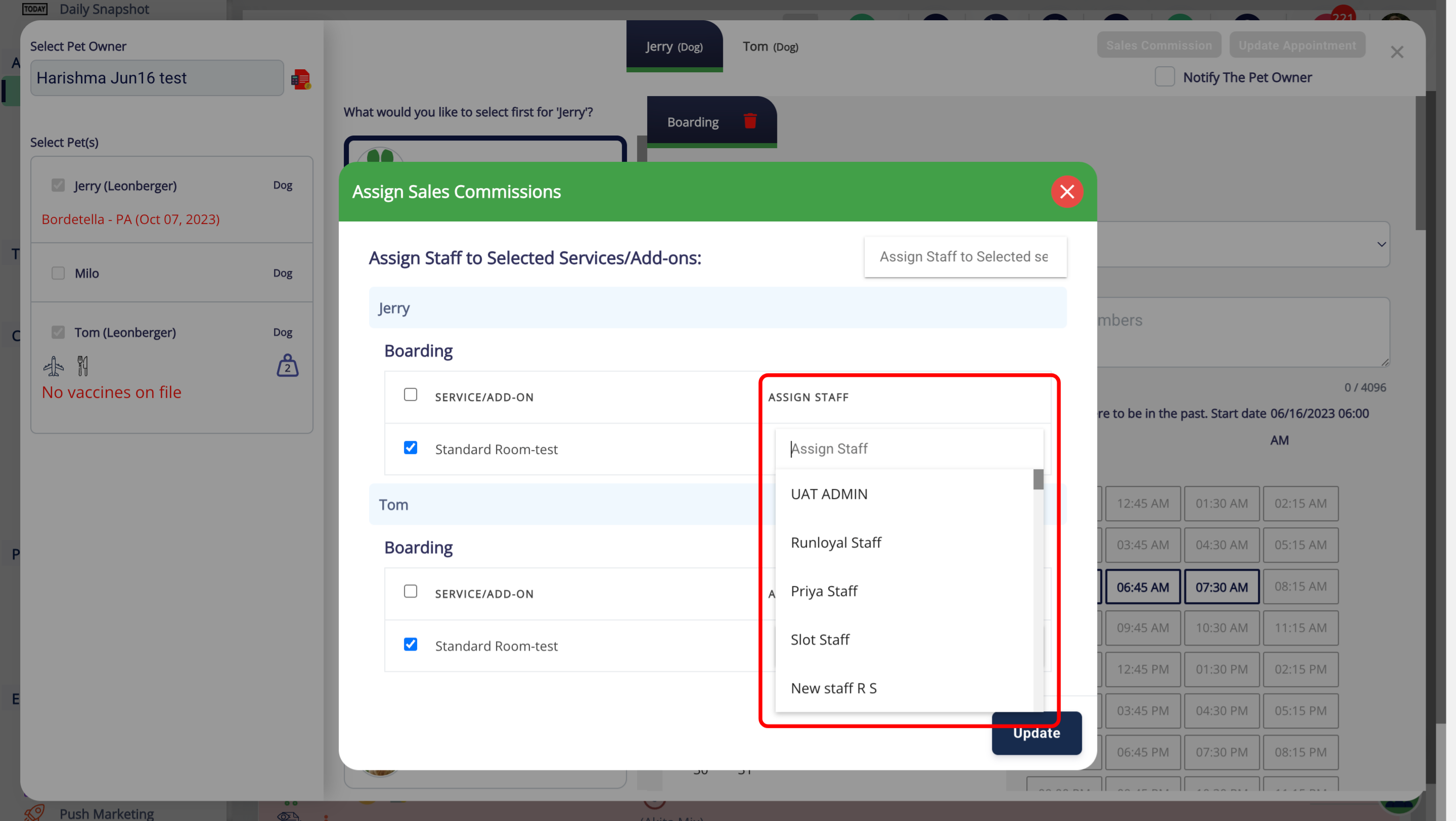
2. Assign Sales Commissions Panel
Click Assign Staff to choose the staff members for the Service's sales commission.
1. Edit an Appointment
Edit an appointment and then Click on Sales Commission to assign staff for it.
2. Assign Sales Commissions Panel
Click Assign Staff to choose the staff members for the Service's sales commission.
1. Edit an Appointment
Edit an appointment and then Click on Sales Commission to assign staff for it.
2. Assign Sales Commissions Panel
Click Assign Staff to choose the staff members for the Service's sales commission.
More Information
For more information please refer to this article on Advanced Staff Feature.
Was this article helpful?
That’s Great!
Thank you for your feedback
Sorry! We couldn't be helpful
Thank you for your feedback
Feedback sent
We appreciate your effort and will try to fix the article